NinjaTrader 8 Trading Bots & Indicators for Futures Traders
Trade smarter with
automated strategies
Professional trading bots and indicators for NinjaTrader 8. Systematic, rule-based strategies designed to help you trade with confidence and consistency.
$6.99/mo
Every tool included
14days
Money back, no reason needed
NinjaTrader 8 · Instant download · Lifetime updates
Liquid gold
An ocean of possibilities
An artistic exploration of market structure. Illustrative shapes only, not live market data or a prediction of results.
Approved for the
NinjaTrader Ecosystem.
TraderSuite has been reviewed and approved as a vendor in the NinjaTrader Ecosystem. Every indicator and automated strategy we sell is built for NinjaTrader 8.
 Ecosystem Vendor
NinjaTrader® is a registered trademark of NinjaTrader, LLC.
Tools that mark up
the chart for you.
Indicators and automated strategies built for NinjaTrader 8 futures traders. Every one of them is included with membership.
Indicators
50 total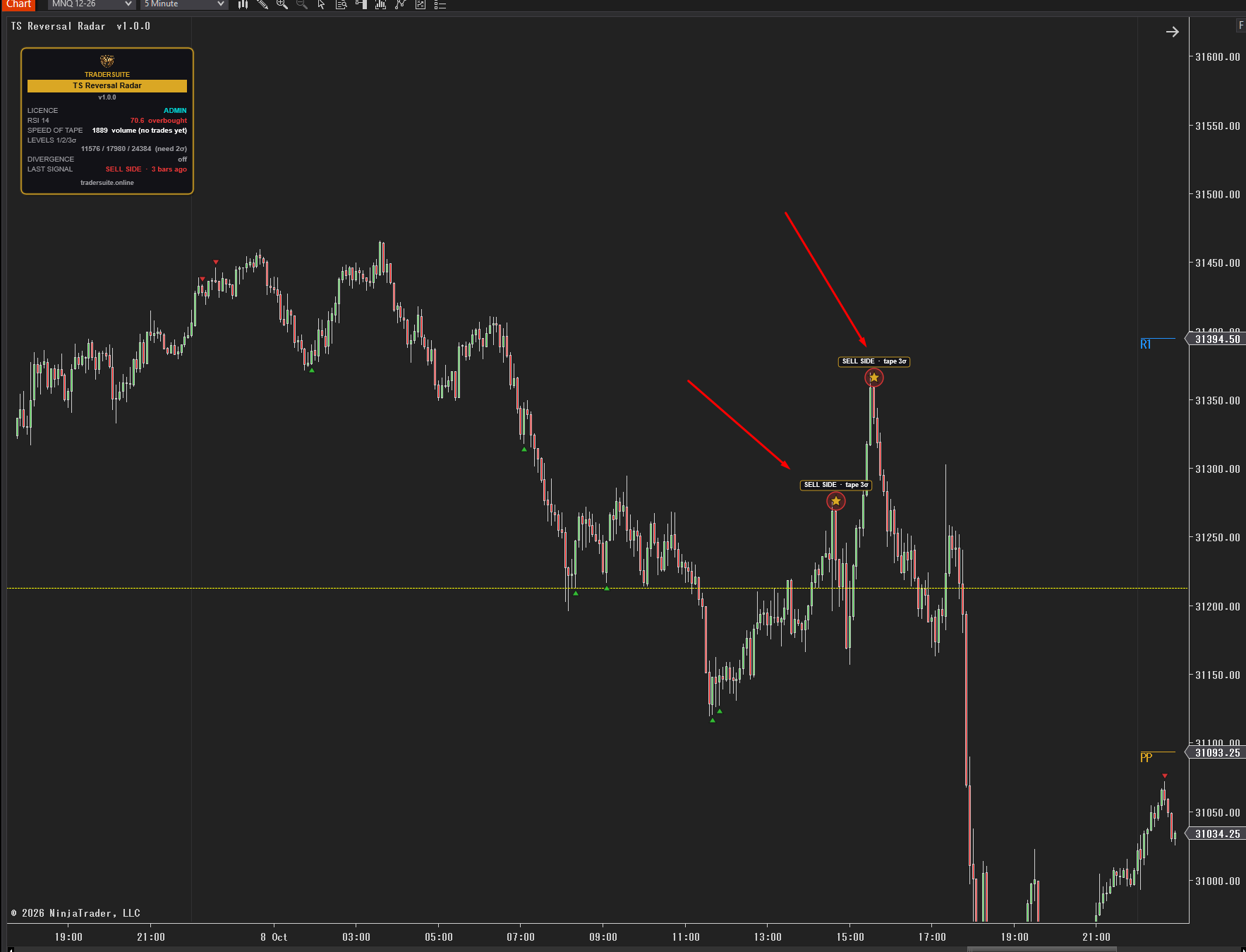
TS Reversal Radar
Overbought / oversold signals from six gauges, upgraded to gold Radar Stars when the speed of the tape spikes – plus magenta exhaustion candles. Closed candles only, never repaints.
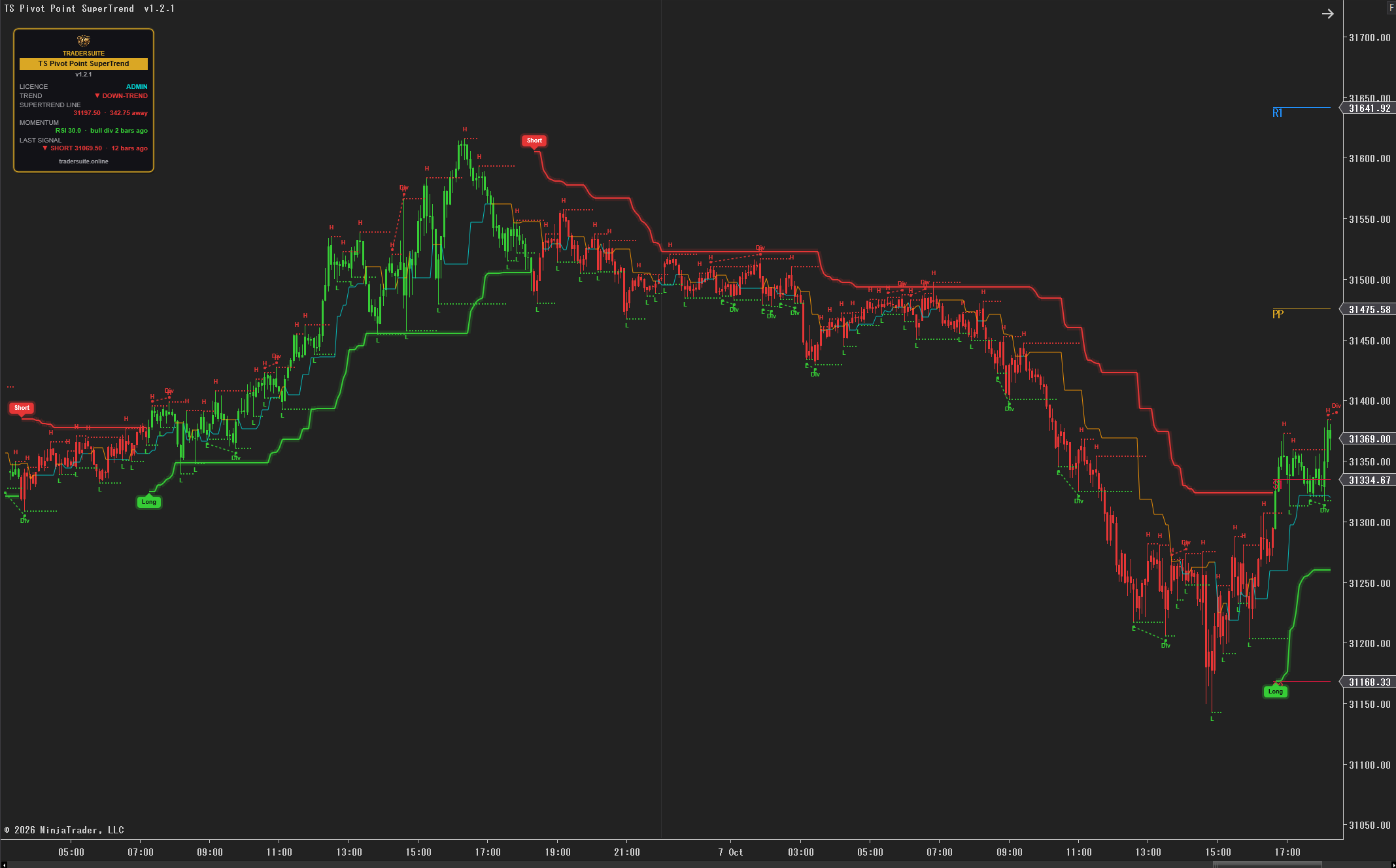
TS Pivot Point SuperTrend – Swing-Point Trend Indicator
A SuperTrend built on swing points, not every bar, for NinjaTrader 8. Optional ADX / higher-timeframe filter, RSI divergence context and no repainting.
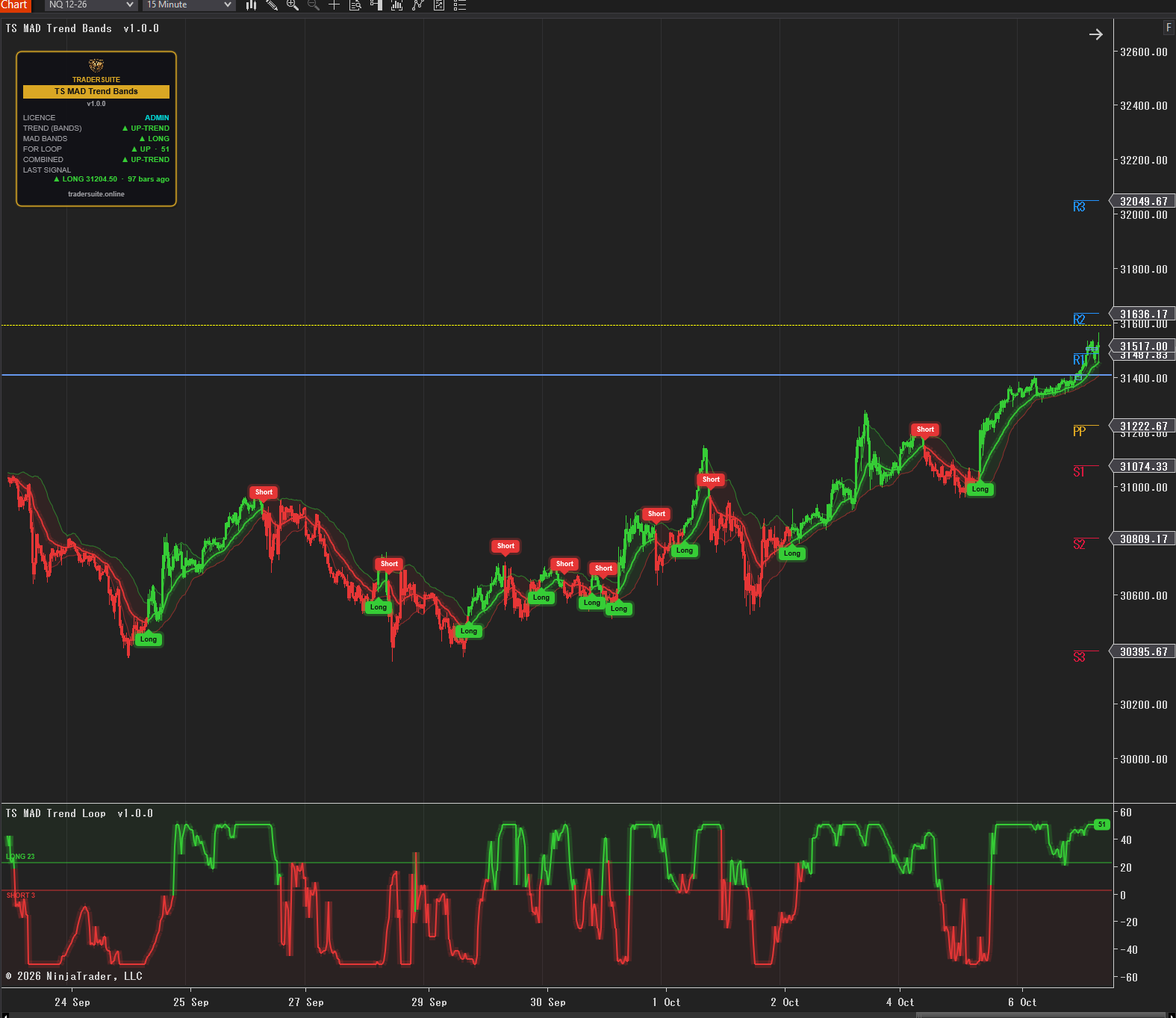
TS MAD Trend – Trend Filter with MAD Bands
Trend indicator for NinjaTrader 8: MAD bands, a for-loop momentum score and a combined signal. Candles coloured by trend, Long/Short labels, no repaint.
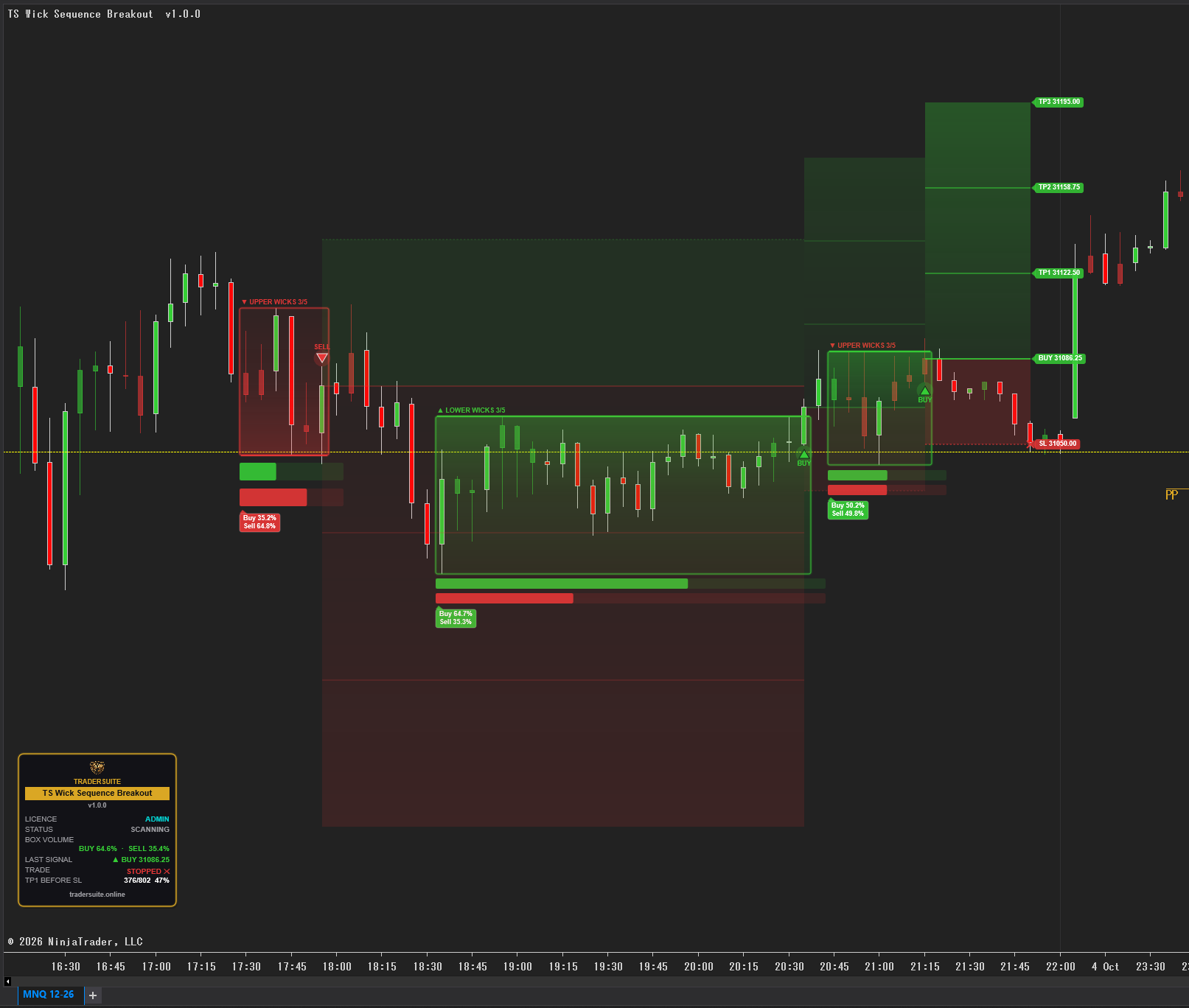
TS Wick Sequence Breakout – False Breakout Filter
Boxes a run of long-wick candles, weighs buy vs sell volume inside, and signals only breakouts that agree. Entry, stop and 3 targets drawn. NinjaTrader 8.
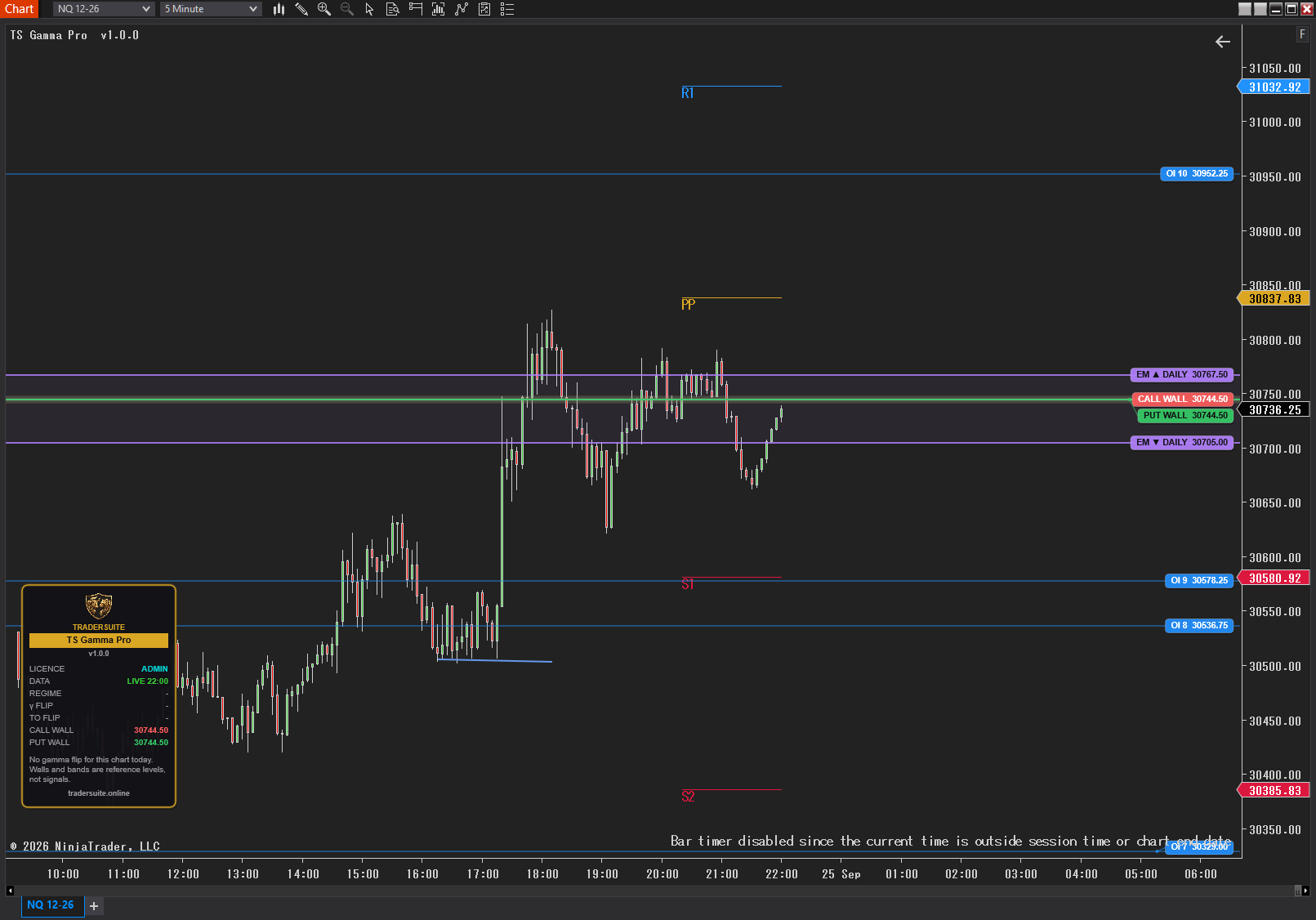
TS Gamma Pro – GEX Levels
GEX indicator for NinjaTrader 8: gamma flip (zero gamma), call wall, put wall and expected-move bands drawn live on your NQ and ES futures chart. One-time price.
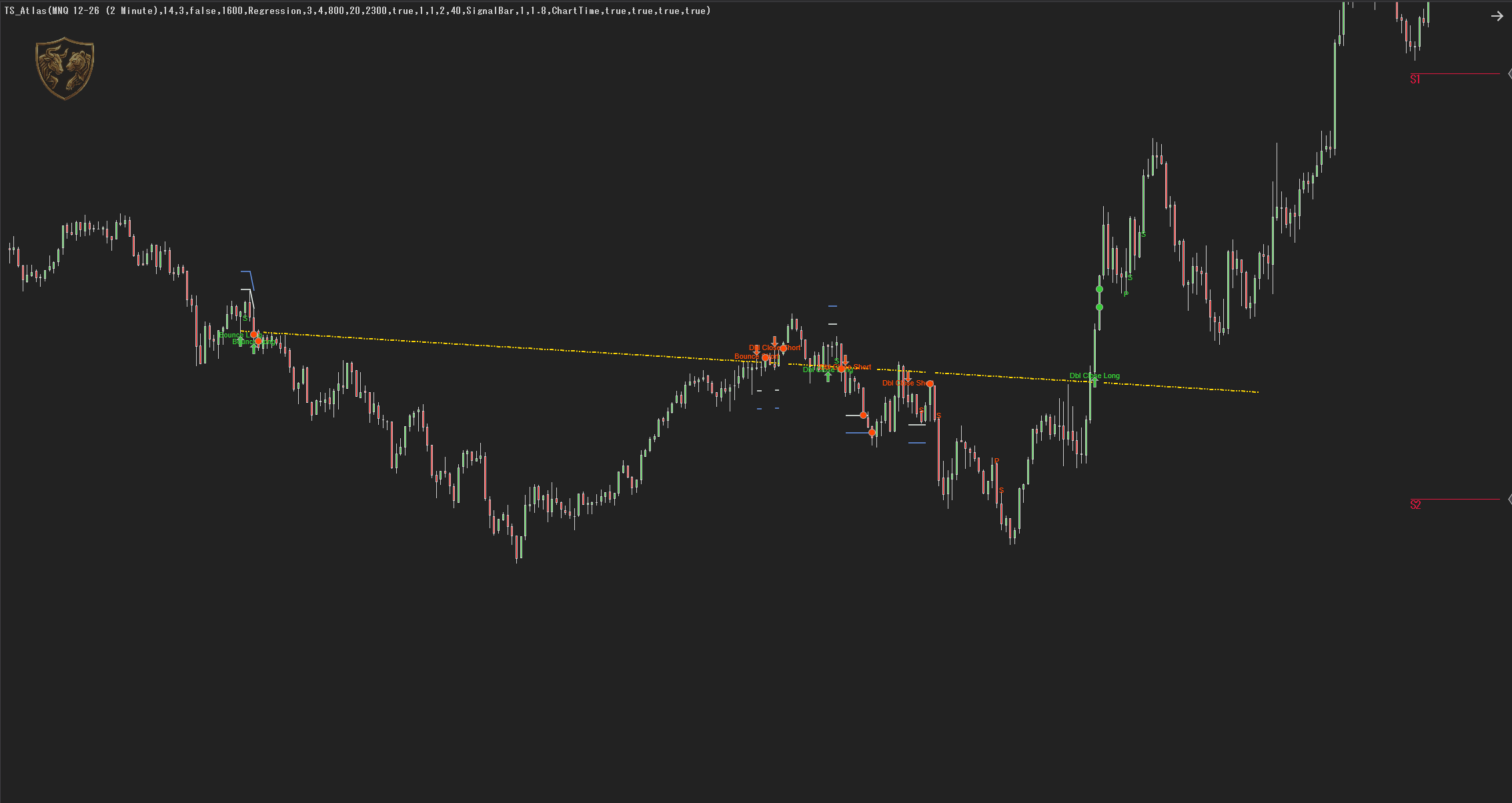
TS Atlas
One sloped line built from the overnight session and anchored to the opening range, with four signals, a stop and two targets on every entry.
Trading bots & strategies
1 total
TS Precision Scalper
The automation layer for the TS Precision signal engine — it hosts the engine rather than copying it, so the arrow on your chart is the arrow it trades. One contract, fixed target, tight stop, break-even, time stop, session windows and daily guard rails.
One price. Everything in it.
Buying tools one at a time adds up fast. Membership hands you the whole library for less than the price of a coffee, and keeps it updated for as long as you stay.
Free indicators
Instant access to the complete indicator library at no extra cost. Every premium indicator is included with your membership.
Free strategies
Every automated trading strategy is included free with your membership. No per-product fees — the full library is yours.
14-day money-back guarantee
Not satisfied within 14 days? Email us and we will refund you in full — no reason needed, even after you have downloaded it.
Priority support
Faster response times and dedicated support from our expert trading team.
Exclusive content
Members-only webinars, trading tutorials, and market analysis updates.
VIP community
Join our private community of NinjaTrader 8 traders. Network, learn, and grow together.
From download to
first chart in minutes.
Four steps to get automated NinjaTrader 8 trading running on your own setup.
Choose your tools
Browse our collection of professional indicators and automated trading strategies designed for NQ, ES, and RTY futures.
Download & install
One-click installation directly into NinjaTrader 8. Our tools integrate with your existing trading setup.
Configure settings
Customise parameters to match your trading style, risk tolerance, and prop firm requirements.
Start trading
Run your rules with backtested strategies and real-time market analysis tools doing the watching.
Built for futures traders who want a process, not a hunch.
NinjaTrader 8 traders
Traders using NinjaTrader 8 who want professional-grade indicators and automated strategies.
Prop firm traders
Traders taking FTMO, Topstep, or other prop firm challenges who need risk-compliant tools.
NQ/ES/RTY scalpers
Futures scalpers trading Nasdaq, S&P 500, or Russell 2000 who need fast, clear signals.
Part-time traders
Busy professionals who want their rules running while they focus on their careers.
Learn more about trading.
Trading blog
Expert analysis, trading strategies, and market updates from experienced futures traders.
Read articlesProp firm guide
Complete guide to prop firm trading, challenges, rules, and strategies for funded accounts.
Read the guideHelp centre
FAQs, installation guides, and support resources to help you get the most from our tools.
Get helpQuestions,
answered.
The things people ask before they buy. If yours is not here, the help centre has the rest.
What is TraderSuite?
TraderSuite provides professional automated trading bots and indicators for NinjaTrader 8 futures traders. Our tools are designed to help traders automate their strategies, identify potential trade setups, and manage risk effectively.
Do TraderSuite tools work with prop firms?
Yes! Our trading bots and indicators are specifically designed to be prop-firm compatible. They include built-in risk management features that help traders stay within prop firm rules like daily drawdown limits and maximum loss thresholds.
What platforms does TraderSuite support?
Currently, TraderSuite products are designed for NinjaTrader 8, the leading platform for futures trading. We focus on NQ (Nasdaq), ES (S&P 500), and RTY (Russell 2000) futures contracts.
How do I install TraderSuite indicators?
Installation is simple: download the indicator file, open NinjaTrader 8, go to Tools > Import > NinjaScript Add-On, select the downloaded file, and restart NinjaTrader. Detailed setup guides are included with each product.
What is included with Premium Membership?
Premium members get free access to all indicators, free access to all autotrading strategies and EAs, priority customer support, exclusive trading content, a 14-day money-back guarantee, and access to our VIP Discord community.
Start trading your rules, not your mood.
Explore the automated trading tools built for NinjaTrader 8 futures traders, or take the whole library on membership.